
Scrambled started as a simple question: can I make a small game that I can release by myself, as I worked on quite a few released games now. I wanted a word puzzle feel like a warm cup of tea, Something calm, satisfying, with a little extra meaning beyond solving the next anagram.
The answer (so far) is yes, and I’m genuinely excited about how much of the game is already working. The core loop is playable, the foundations are in place, and the biggest “scary” systems (sign-in, purchases, backend verification) are finally behaving. This post is a longer devlog aimed at fellow developers: what’s working, what was hard, what I learned, and what’s left to do before Scrambled is ready for the world.
The heart of Scrambled: calm word puzzles with a museum twist
At its core, Scrambled is a category-based word puzzle. You’re given a category, you move letters around, and you discover words that fit. The kind of puzzle that makes your brain feel pleasantly engaged rather than stressed.
But the part I care about most is the layer around the puzzle: your museum collection.
Instead of progress being a flat “Level 51 → Level 52”, Scrambled turns your progress into something you can look at. Each category is represented by a museum “era” (Prehistoric, Ancient, Classical, Medieval, Renaissance, Early Modern, Industrial, Modern, Contemporary, Future), and as you complete levels you earn artifacts to place into the museum. That structure has been incredibly helpful for motivation and pacing because:
- It gives every session a satisfying endpoint (“one more level and I unlock the next artifact…”).
- It makes progression feel tangible: you’re not just raising a number, you’re building a collection.
- It gives me clear content “buckets” to expand: more eras, more artifacts, more themed word sets.
For me, this is what makes Scrambled feel “cosy” rather than purely score-driven. Scores matter (and I’ll get to leaderboards later), but the heart of it is collecting, completing, and slowly building a space that feels yours.
Art direction and tone: moving from placeholder to personality
When you’re building a game solo (or near-solo), it’s very easy to let visuals lag behind systems. That’s exactly what happened early on: placeholder UI, placeholder icons, “temporary” art that quietly stays in the project for way too long.
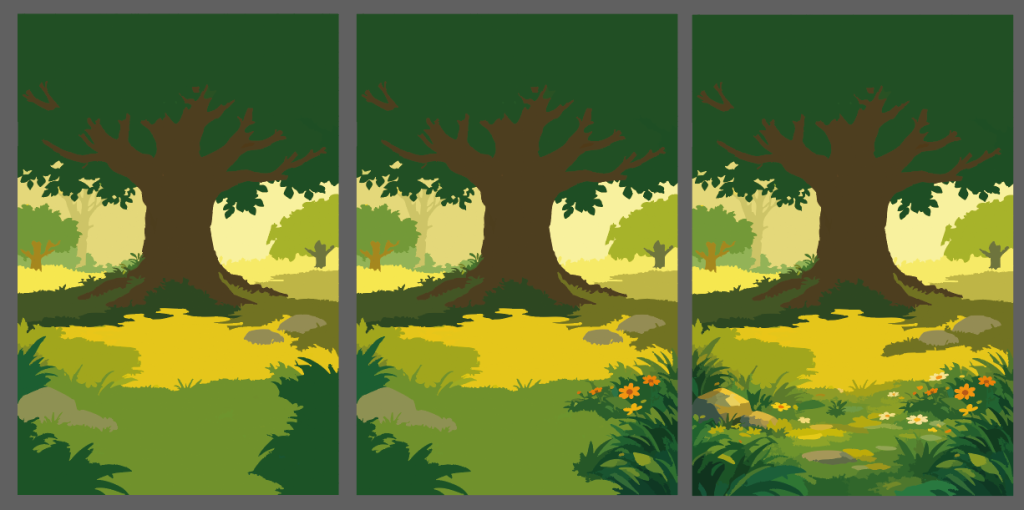
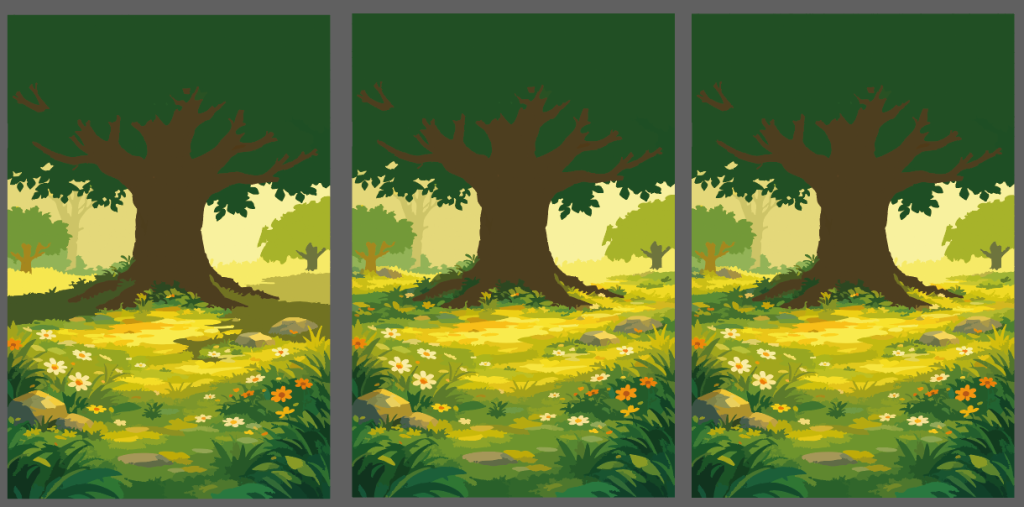
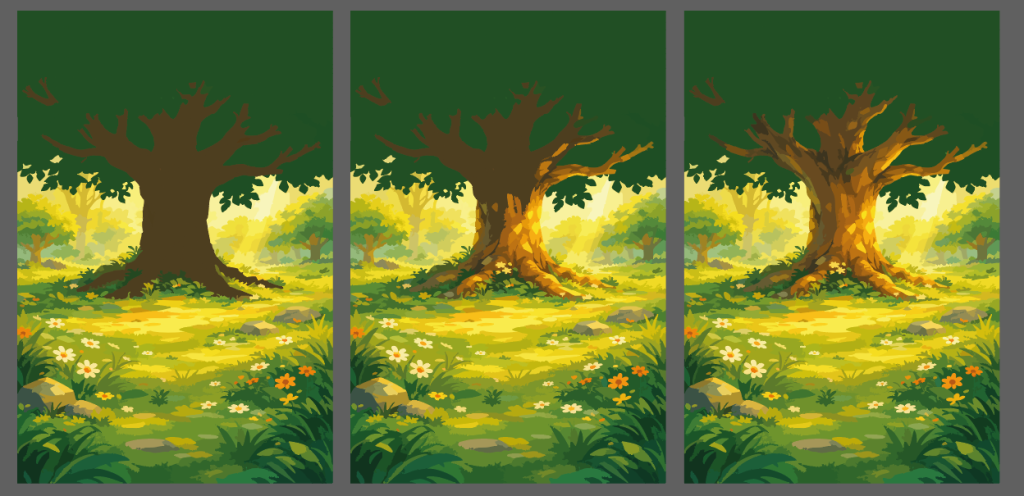
Working with Britt has been the biggest boost in turning Scrambled from “a functional prototype” into something that looks and feels like a real game. The direction we’re settling into is bright, soft, and readable — the kind of colour palette that supports relaxation while still feeling playful and crisp on mobile screens.
Here’s a peek at some in-progress environment/background exploration that’s been coming in. These kinds of scenes are perfect for museum-era flavour, menus, and progression screens — and they immediately raise the perceived polish of the whole project.
Alongside in-game art, I also updated the studio branding. I wanted to make the branding feel friendly, recognisable, and consistent across the website, the game, and future social posts.
As a developer, one lesson I keep relearning is art isn’t just decoration, it’s clarity. Clear iconography reduces tutorial text. Good hierarchy reduces UI friction. A coherent style makes players more forgiving when something isn’t perfect yet.
Building infrastructure: identity, backend, and anti-cheat foundations
I’m building Scrambled in Unity, targeting both iOS and Android. The moment you add shared progression, purchases, and competitive features (like leaderboards), you inevitably end up needing a backbone that can:
- identify users reliably across platforms,
- store progress safely,
- validate purchases securely,
- and make cheating harder than it’s worth.
That led me to building a backend the game connects to. The goal isn’t to make cheating impossible (that’s a losing battle), but to make Scrambled’s economy and progression server-authoritative where it matters most.
Firebase Authentication and server trust
For identity, Scrambled uses Firebase Authentication, with sign-in options including Google sign-in and Sign in with Apple. Firebase’s model is solid for this: the client signs in, obtains an ID token, and you can verify that token server-side to identify the user and safely run backend logic on their behalf.
That “verify on the server” phrasing matters. It’s the same security mindset you use for purchases: the client can request things, but the server decides what’s true.
Protecting the backend from “not really the app” traffic
One extra layer I’m considering (and likely implementing as the project gets closer to launch) is Firebase App Check for app authenticity at the network level. The idea is: even if an attacker knows your API endpoints, App Check helps ensure requests are coming from a genuine, untampered app instance rather than a script or a repackaged client.
Firebase provides Unity support here, including default providers (Play Integrity on Android, DeviceCheck/App Attest on Apple platforms).
And there’s also guidance for protecting your own custom backend endpoints by sending App Check tokens with requests and verifying them server-side.
I’m mentioning this because I think it’s a useful “devlog lesson”: if you’re shipping anything with competitive elements (or a currency economy), plan one security layer beyond “trust the client”, even if you keep it lightweight.
Monetisation done the safe way: IAP, receipts, and the long road to “working everywhere”
The single hardest stretch of development so far has been in-app purchases + cross-platform build stability.
I always knew IAP would take time, but what surprised me was where the time went:
- store-side changes and shifting “best practices”,
- platform-specific edge cases,
- and dependency conflicts that only show up after you add the third (or fifth) SDK.
Why I chose server-side purchase validation
Unity’s own documentation is very clear: server-side (“remote”) validation is recommended for all transactions, and it becomes essential if you’re granting server-delivered content like currency.
It also spells out the real threats you’re defending against:
- forged receipts (fake proof of purchase),
- replay attacks (reusing a valid receipt for multiple accounts or multiple grants).
That perfectly matches Scrambled’s needs: I’m selling things like coins and a “no ads” entitlement, so it’s important that purchases are verified and granted in a way that’s hard to exploit.
Apple: moving away from classic receipts toward signed transactions
On the Apple side, there has been a broader shift away from relying on old receipt payloads and toward StoreKit 2 signed transaction data (JWS). Unity’s docs reflect this direction: Apple’s traditional receipt payload validation is being deprecated, and for new implementations Unity points developers toward OrderInfo.Apple.jwsRepresentation for server-side validation.
To support that, Apple provides official App Store Server Library implementations, including a Python library built around verifying and decoding signed data with tools like SignedDataVerifier.
Apple’s WWDC sessions also describe the server workflow in plain terms: the App Store provides signed transaction objects, and the server can verify/decode them using the App Store Server Library.
This was a big learning point for me:
- the “right” approach isn’t static,
- and it’s worth aligning early with the direction platform owners are clearly moving toward.
Google Play: verifying purchases via the Android Publisher API
On Android, a common server-side approach is to validate purchases using the Google Play Developer API, specifically endpoints that let you check the purchase and consumption status of an in-app item.
The purchases.products.get method takes (packageName, productId, token) and returns a ProductPurchase structure when successful.
This is a clean model for “server decides”: the client gives you what it received from the store (or the purchase token), and your backend confirms it directly with Google.
The underrated problem: fulfilment, retries, and idempotency
Even after you’ve solved “verification”, you still have to solve “fulfilment”. Unity warns that purchase callbacks can be invoked again after crashes, and explicitly suggests implementing de-duplication logic.
It also explains why acknowledgements matter: if you don’t confirm purchases properly, stores may resend them, and Unity notes that “some stores may even refund it automatically to protect the users.”
For consumables (like coin packs), Unity’s guidance is also blunt: once you acknowledge a consumable, the store won’t return it again, so you should persist the reward remotely; storing consumables only locally risks permanent loss.
This is exactly the kind of practical detail that turns purchase systems into “it took me weeks” work. Not because it’s conceptually hard, but because reliability requires thinking through:
- retries,
- crash recovery,
- double-taps,
- network loss,
- reinstalls,
- and “what if the store sends this again later?”
Shipping reality: Apple requirements, account deletion, and why toolchains shape the schedule
At some point, every indie learns this lesson: your shipping schedule is partly controlled by other people’s deadlines.
Toolchain requirements and the “newer Mac” moment
As of this year, Apple has a published minimum SDK requirement timeline, and it’s extremely relevant for anyone shipping iOS games. Apple’s developer news states that beginning April 28, apps uploaded to App Store Connect must be built with Xcode 26 or later using iOS/iPadOS 26 SDKs (and corresponding SDKs for other platforms).
Apple also repeats this submission guidance in its “Submitting” overview: build and test with Xcode 26 and meet the minimum requirements from that April deadline onward.
On top of that, Xcode itself has macOS system requirements that can make older machines non-viable for current iOS submission workflows.
So yes, there was a very real moment where “my old laptop” stopped being a development environment and became a blocker. That’s not a fun purchase, but it’s the kind of invisible obstacle that never shows up in a feature list.
Account deletion inside the app
Because Scrambled includes account-based features (sign-in, store-backed entitlements, online features), another shipping requirement is account deletion.
Apple’s guidance is explicit: since June 30, 2022, apps that support account creation must let users initiate account deletion within the app.
The App Review Guidelines reinforce this: if an app supports account creation, it “must also offer account deletion within the app.”
There are nuances (regulated industries, confirmation steps, reauthentication), and Apple even notes that Sign in with Apple apps should revoke tokens using the Sign in with Apple REST API when accounts are deleted.
This sits on my remaining work list because it’s both a UX feature and a compliance feature — and I’d rather implement it carefully once than rush it right before submission.
What’s next: content scale, polish, and making it feel genuinely finished
At this stage, Scrambled is “working”, but there’s a huge difference between working and ready. Here’s how I’m thinking about the remaining work, grouped into the buckets that matter most.
Content: levels and collectibles
My current level set is playable, but early testing (including my nephew absolutely speed-running the game) made it obvious: Scrambled needs a lot more content and better difficulty ramping.
The plan is to rebuild the level curve so it doesn’t spike too fast, and expand from the current early batch into something closer to 1,000 levels. That sounds like a lot – and it is — but content is the most honest form of retention in a puzzle game. If the core loop is satisfying, players will simply keep playing… as long as you keep giving them puzzles that feel fair.
Alongside levels, I need more artifacts per era. Right now, each era has a small starter set. The intended structure is simple: complete a certain number of levels in an era/category, unlock an artifact, repeat, increasing the requirement each time so the museum fills steadily rather than instantly.
Polish: UI clarity, animation, loading, and “tablet reality”
A huge chunk of what’s left is classic “this takes longer than it should” work:
- polishing the UI layout and spacing,
- improving animations so interactions feel responsive and satisfying,
- a better loading experience,
- and checking tablet resolutions properly before release.
None of that is glamorous, but all of it is what players actually perceive as quality.
Social systems: profiles, leaderboards, achievements, daily structure
I’m planning:
- profile editing (username + avatar) — because names matter for leaderboards,
- high scores (daily/weekly/monthly),
- achievements,
- daily tasks (and possibly more structured “challenge” modes like battles).
On Android, achievements and leaderboards are clearly supported through Google Play Games Services, and the Unity-facing APIs are straightforward: achievements can be unlocked via Social.ReportProgress, and leaderboards can be posted via Social.ReportScore.
Google also documents setup and behaviour via the Play Games plugin for Unity, including how to activate the platform and route calls correctly.
On iOS, I’ll be taking a parallel approach (Game Center equivalents), but the key design challenge is universal: leaderboards and achievements must feel like gentle encouragement, not pressure.
Monetisation expansion: ads, rewarded coins, and modern mediation realities
Right now, purchases are largely in place, and next comes ads:
- Unity Ads and AdMob integration,
- and especially rewarded ads for earning coins (coins can be used for “auto-solve one word”).
One very practical note for fellow devs: ad tech changes quickly, and mediation support policies can affect your implementation choices. For example, Google’s Unity Ads mediation guide notes that waterfall mediation support for Unity Ads ends on January 31, 2026 (you can’t create or edit waterfall placements after that), nudging developers toward bidding-based setups.
That kind of timeline is exactly why I’m treating ads as its own “interesting” development milestone rather than a quick checkbox.
Store promotion: getting featured is a process, not a wish
I’m also looking at store-side promotion.
On Apple’s side, there’s a clear mechanism: you can nominate your app for featuring directly in App Store Connect, and Apple’s editorial team considers nominations for launches, updates, in-app content, and stories.
Apple also recommends lead time, their “Getting featured” guidance suggests giving at least two weeks’ notice, and for wider consideration, nominating up to three months in advance.
On Google Play’s side, the model is different but still structured. Google Play Console has a concept of promotional content (events, offers, major updates) that can appear on store surfaces, and it explicitly notes that when you submit promotional content you can request further featuring across Google Play.
Google also publishes “Getting featured on Google Play” guidance emphasising quality thresholds and strong promotional assets.
So while “getting featured” is never guaranteed, it’s not magic either. It’s a pipeline you can actually engage with, if you prepare the right materials.
The quiet but important finishing work
The final category is the “adulting” list:
- showing whether SSO providers are connected, with disconnect options where appropriate,
- adding a proper delete account flow,
- notifications (used responsibly),
- offline checks and graceful fallbacks,
- and final security reviews.
A lot of this is driven by platform expectations. Some is driven by player trust. All of it is driven by the same desire: Scrambled should feel like a well-cared-for game.
That’s where I’m at. The foundations are down, the art direction is becoming real, the hardest integrations have (mostly) stopped fighting me, and now it’s time to turn “a working game” into something that feels genuinely complete.
Thanks for being here!
Thanks for reading! I hope this devlog gives you a clear idea of where Scrambled is at, and if you’re building your own game too, I hope some of the lessons here help you on your development journey.
– Tom, Panda Cub Studios